
How to Spoof Pokémon GO in 2026: Best Android Phone Guide
A complete beginner-to-buyer guide for Pokémon GO spoofing, GPS spoofing, mock location risks, Android spoofing phones, device comparisons, event planning, and why the OnePlus Nord 5G is the best budget all-rounder for most players.
This guide is written for education, buyer research, device planning, and account-risk awareness. Before using any spoofing setup, read our Pokémon GO spoofing safety notice. Buyers are responsible for how they use any device or software.
How to spoof Pokemon GO is one of the biggest evergreen searches in the Pokémon GO niche because players are constantly looking for a way to access better spawns, fuller raids, regional Pokémon, dense PokéStop clusters, GO Fest hotspots, and events that are impossible to enjoy from a weak local area.
The problem is that most guides online are either too vague, too risky, or designed to sell a random Pokémon GO spoofer app without explaining the real difference between an app, a mock location setting, a modified client, a PC tethering tool, and a dedicated Android spoofing phone. In 2026, those differences matter. A bad setup can lead to location errors, crashes, wasted event tickets, account flags, and a lot of stress.
This pillar guide is built for people who are trying to understand Pokemon GO spoofing before they buy anything. It explains what spoofing is, why Android is usually the strongest platform, what mock location actually means, why random modified apps are risky, how to compare devices, and why the OnePlus Nord 5G 8GB RAM 128GB rooted phone is our top budget and all-rounder recommendation for most players.
For serious players, a dedicated spoofing phone is not just a toy. It is an event device. It keeps your Pokémon GO setup, screenshots, routes, storage checks, battery plan, event notes, and location tools away from your everyday personal phone. That separation is exactly why so many players move from “what app should I use?” to “what phone should I buy?”
🏆 Best Budget All-Rounder: OnePlus Nord 5G
The OnePlus Nord 5G is the device we would push first for most buyers: 8GB RAM, 128GB storage, strong enough performance for Pokémon GO, a smooth 90Hz display, and a price point that makes sense for a dedicated spoofing phone.
1What Is Pokémon GO Spoofing?
Pokemon GO spoofing means making the game believe your device is in a different location from where you are physically standing. Players search for how to spoof Pokémon GO because the game is built around geography. Better cities have more PokéStops, more gyms, more raids, more lures, better event routes, and more active players. Rural players, disabled players, night-shift players, and collectors often feel locked out of the best parts of the game.
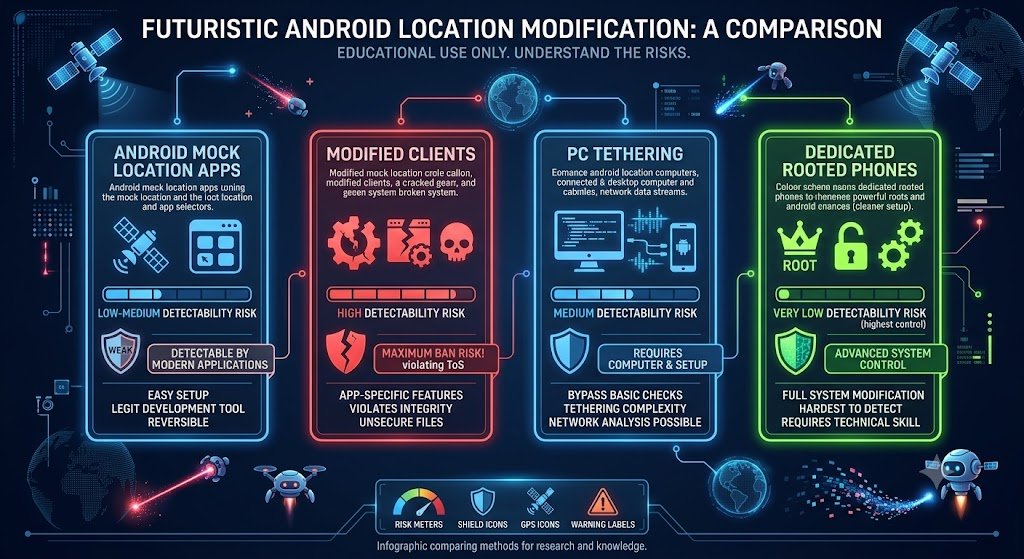
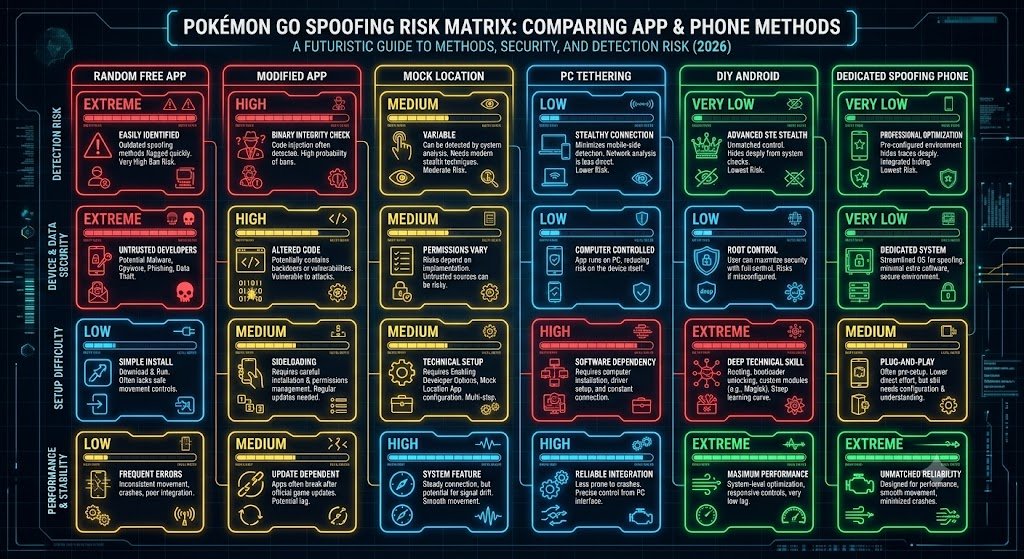
At a basic level, spoofing is about changing the location data that reaches the game. That can happen through a GPS spoofing app, Android mock location settings, PC tethering tools, modified clients, rooted Android setups, or dedicated spoofing phones. Each method has a different risk profile, difficulty level, and long-term reliability.
The phrase Pokemon GO GPS spoofing usually refers to the technical side: changing GPS location. The phrase Pokemon GO spoofer usually refers to the tool or app. The phrase Pokemon GO mock location usually refers to Android’s testing feature that lets a chosen app provide fake location data. The phrase spoofing phone refers to a separate Android device prepared for Pokémon GO location spoofing.
That last option is where PogoSpoofing.com fits in. We sell dedicated rooted Android phones for players who want a cleaner setup than random apps on their personal phone. We are not selling a fantasy that spoofing is risk-free. We are selling a better device workflow for people who already understand the risk and want to stop messing around with broken setups.
2How Pokémon GO Spoofing Works in 2026
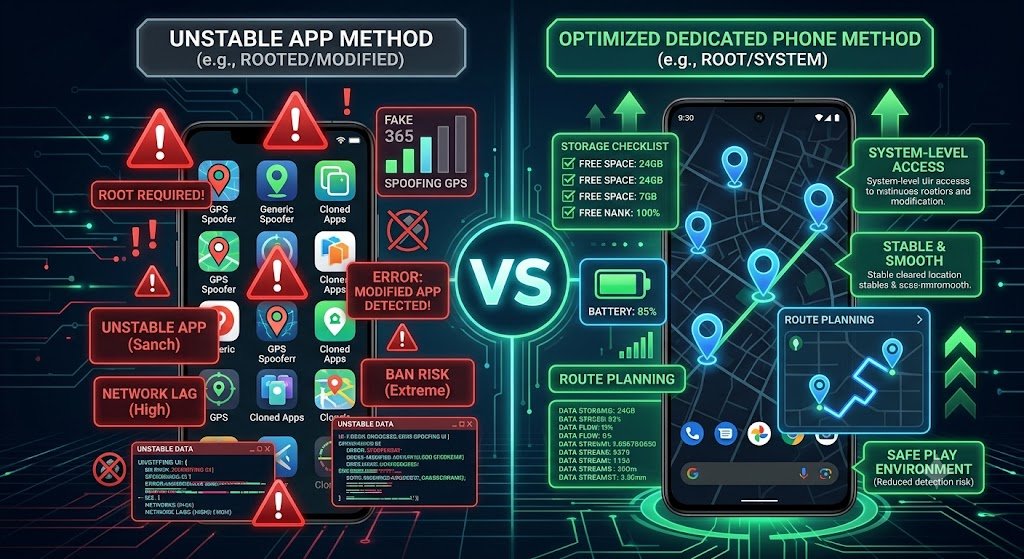
People searching how to spoof Pokemon GO usually expect a simple answer: download an app, pick a place, and start playing. The 2026 reality is more complicated. The modern spoofing landscape is split into several categories, and each one has different trade-offs.
Instead of thinking of spoofing as one app, think of it as a full setup. The setup includes your phone model, Android or iOS version, location settings, GPS source, game app, account behaviour, battery performance, storage space, and how you play during events. If one part of the setup is weak, the whole experience can become frustrating.
The five common spoofing routes
| Method | What It Means | Best For | Main Problem |
|---|---|---|---|
| Free GPS App | A simple app claims to change your location. | Curious beginners researching the concept. | Often unstable |
| Mock Location Setup | Uses Android’s mock location framework. | Testing and basic location workflows. | Can be detected or rejected by apps that check mock data. |
| Modified Game App | A changed version of the Pokémon GO app. | Players who value convenience over risk. | High account-risk category |
| PC Tethering Tool | A computer sends location data to the phone. | Desk-based users who do not mind cables. | Awkward for long mobile sessions. |
| Dedicated Android Spoofing Phone | A separate phone prepared for Pokémon GO spoofing workflow. | Events, raids, collectors, and long-term players. | Higher upfront cost |
The reason we push phones is simple: most people who start with app searches eventually discover that the phone matters more than the app. A cheap app on a cluttered daily phone can break, lag, drain battery, throw GPS errors, or become impossible to trust during paid event windows. A dedicated Android phone gives you a separate environment for Pokémon GO, route notes, screenshots, event prep, storage checks, and support.
For deeper context, read our Pokémon GO spoofing setup guide for custom phones. This pillar page is the beginner and buyer guide; that page goes deeper into why a custom phone is easier than a chaotic DIY setup.
3How PogoSpoofing Phones Fit Into the Setup
Most people searching how to spoof Pokemon GO are really trying to avoid one problem: they do not want to spend days guessing which apps, settings, Android versions, and device combinations actually work together. That is where a dedicated PogoSpoofing phone changes the buying decision.
Instead of turning your daily phone into a testing device, you buy a separate Android phone prepared specifically for Pokémon GO location spoofing. Your main phone stays clean for banking, work, photos, messages, and everyday use. Your PogoSpoofing phone becomes your game device for Pokémon GO, coordinates, event planning, storage checks, route notes, screenshots, and long sessions.
This is the key difference between buying a phone from us and gambling on random app downloads. A spoofing app is only one piece of software. A spoofing phone is a complete Pokémon GO device workflow. The device is separate, the purpose is clear, and the whole setup is built around playing Pokémon GO more comfortably.
| Player Problem | What Usually Happens | How a PogoSpoofing Phone Helps |
|---|---|---|
| Random spoofing apps break | Players waste time testing apps that stop working, trigger errors, or need constant troubleshooting. | Dedicated Android device built around Pokémon GO |
| Daily phone gets cluttered | Personal apps, notifications, storage, and battery issues interrupt gameplay. | Your Pokémon GO setup stays separate from your everyday phone. |
| Events need preparation | Players lose raid time clearing storage, charging phones, or searching for route notes. | Use one device for event notes, coordinates, screenshots, and storage planning. |
| Beginners do not know what to buy | They jump between apps, guides, and risky downloads. | OnePlus Nord gives the best budget starting point |
| Paid events feel stressful | A weak daily phone can overheat, crash, fill up, or interrupt paid play time. | A dedicated device protects the value of the events, raid passes, and tickets you already buy. |
The easiest way to think about it is simple: a spoofing app is just software, but a spoofing phone is a complete Pokémon GO device. That is why our strongest recommendation for most players is the OnePlus Nord 5G rooted Pokémon GO phone. It gives beginners a proper starting point without jumping straight into expensive flagship devices.
🏆 Start With the OnePlus Nord 5G
For most players, the OnePlus Nord is the best first Pokémon GO spoofing phone: strong enough for events, affordable enough for a dedicated device, and much cleaner than gambling with random spoofer apps on your daily phone.
4Pokémon GO Mock Location Explained
Pokemon GO mock location is one of the most important keyword clusters because many Android users discover spoofing through Developer Options. Android includes mock location functionality for development and testing. In normal app development, that feature helps developers test how an app behaves in different places without physically travelling there.
The problem is that Pokémon GO is not a normal mapping app. It is a location-based game with anti-cheat rules. Android apps can identify whether a location is marked as mock/faked by the system, which is why basic mock location tools can create errors, detection risk, or failed location behaviour in games that reject mock location data.
This is where many beginner searches come from. A player enables a fake GPS app, turns on mock location, opens Pokémon GO, and then sees problems like “failed to detect location,” rubber-banding, or no movement. They then search for “pokemon go mock location,” “pokemon go failed to detect location,” “pokemon go spoof android,” or “best pokemon go spoofer app.”
A dedicated spoofing phone does not make spoofing risk-free, but it does move you away from the beginner trap of randomly changing settings on your daily phone. Instead of turning your personal device into a testing lab, you can keep Pokémon GO on a separate Android device that is built around the game.
5Pokémon GO Spoofer Apps vs Android Spoofing Phones
Searches like Pokemon GO spoofer, best Pokemon GO spoofer, and Pokemon GO spoofer app are usually app-focused. That makes sense because apps look cheap and quick. But when the player is serious, the better question is not “which app is trending?” It is “which setup can I actually rely on during the events I care about?”
A free or cheap spoofing app may look attractive, but it has problems. It might stop working after a game update. It might depend on settings your phone does not support. It might be full of ads. It might require permissions you do not understand. It might work for a week and then become useless before GO Fest. Most importantly, it usually sits on the same phone you use for banking, family, work, photos, two-factor authentication, and everything else.
A dedicated Android spoofing phone gives you a different experience. It is not your personal life phone. It is your Pokémon GO device. You can keep it charged, updated carefully, organised, cleaned of unnecessary apps, and ready for event play.
| Comparison Point | Spoofer App on Daily Phone | Dedicated Spoofing Phone |
|---|---|---|
| Cost | Lower upfront cost. | Higher upfront cost, but reusable across events. |
| Convenience | Quick to try but often messy. | Clean long-term workflow |
| Personal phone risk | Uses your everyday device. | Keeps gameplay separate from daily life. |
| Event readiness | Can be unreliable during big updates. | Better for GO Fest and raids |
| Support | Usually you are on your own. | Bought from a seller who understands the setup. |
This is the core sales message for the page: if you are just curious, you may search for apps. If you are serious, you buy a device. That is why the PogoSpoofing phone shop exists.
📱 Stop Gambling With Random Spoofer Apps
If you are searching for how to spoof Pokémon GO because you actually want to play events, raids, regionals, and coordinates properly, skip the messy daily-phone approach. A dedicated Android spoofing phone is the cleaner long-term setup.
6Best Budget All-Rounder: OnePlus Nord 5G
The OnePlus Nord 5G 8GB RAM 128GB rooted phone is the device we want to push hardest for this pillar page because it fits the most buyers. It is not the most expensive phone. It is not trying to be a flagship flex. It is the sensible all-rounder: strong enough for Pokémon GO, affordable enough for a dedicated device, and comfortable enough for long event sessions.
OnePlus lists the Nord with a Qualcomm Snapdragon 765G 5G platform, 8GB or 12GB LPDDR4X RAM options, 128GB or 256GB UFS 2.1 storage options, a 6.44-inch 90Hz Fluid AMOLED display, and a 4115 mAh battery with Warp Charge 30T. For a Pokémon GO spoofing phone, that is a strong spec balance. You get enough RAM for smooth gameplay, enough storage for screenshots and tools, a good display for long sessions, and a device that does not cost flagship money.
🏆 OnePlus Nord 5G
Best for: Most buyers who want the best budget and all-rounder Pokémon GO spoofing phone.
- 8GB+ RAM option for smooth Pokémon GO use
- 128GB storage for apps, screenshots, routes, and notes
- 90Hz AMOLED display for a smoother feel
- Great price-to-performance balance
- Ideal first dedicated spoofing phone
💰 Budget Phones
Best for: New players, alt accounts, basic coordinates, and testing the workflow.
- Lower upfront cost
- Good for casual spoofing
- Separate from your daily phone
- Best for lighter event use
⚡ Higher-End Devices
Best for: Heavy raid grinders, long-session players, and serious event users.
- More performance headroom
- Better for long event days
- Best for regular raid and GO Fest players
- More future-proof
If you only buy one device from this article, make it the OnePlus Nord. It is the easiest recommendation for people who want the best blend of price, performance, and dedicated Pokémon GO usability. It also makes sense as an internal-link target because it turns informational traffic into product traffic.
7Android vs iOS for Pokémon GO Spoofing
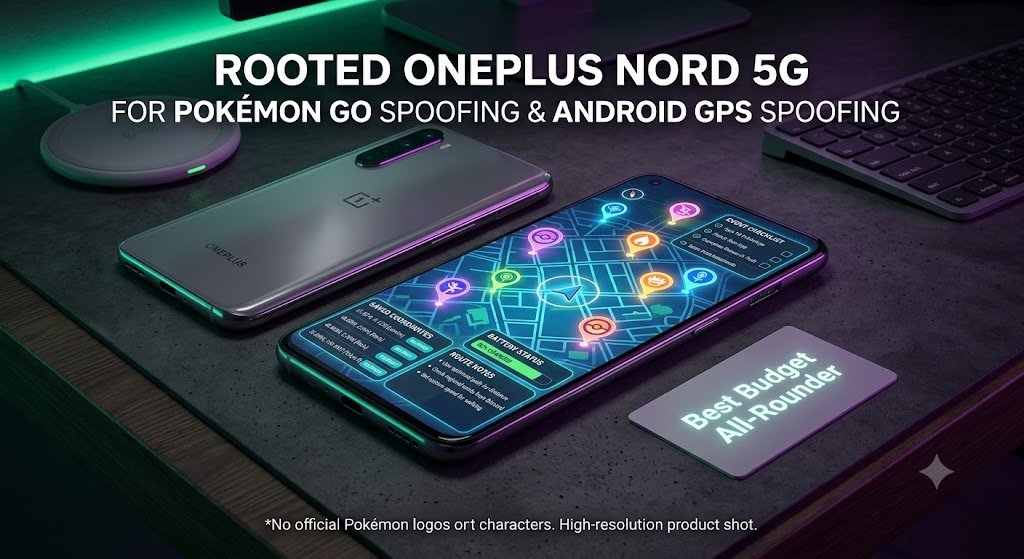
Many players searching how to spoof Pokemon GO are using iPhones. That is natural because iPhone users are everywhere. But for spoofing specifically, Android usually gives buyers more flexibility, especially when the goal is a dedicated device rather than modifying your main personal phone.
iOS spoofing discussions often involve desktop tools, sideloading, enterprise certificates, or jailbreak-related methods. Some players like that route because they already own an iPhone. The issue is that you are usually either dependent on a computer, dependent on certificates, or messing with the phone you use every day.
Android gives you more device options. You can buy a separate phone, keep your personal phone clean, and use the Android device only for Pokémon GO. For buyers, that is much easier to understand: main phone for normal life, spoofing phone for the game.
| Platform | Pros | Cons | Best Buyer Fit |
|---|---|---|---|
| iPhone / iOS | Great daily phone, strong hardware, familiar interface. | Less flexible for dedicated spoofing workflows; often depends on desktop or sideloading tools. | People who only want to research options. |
| Basic Android | More location-tool options and more device variety. | DIY setup can be confusing. | Technical users who enjoy troubleshooting. |
| Dedicated Android Phone | Cleanest buyer workflow | Requires buying a separate device. | Serious Pokémon GO players and event grinders. |
This is why we recommend Android phones in our best Pokémon GO spoofing phones 2026 guide. You are not just buying a phone. You are buying separation, organisation, and a better Pokémon GO workflow.
8Pokémon GO Spoofing Phone Buyer Checklist
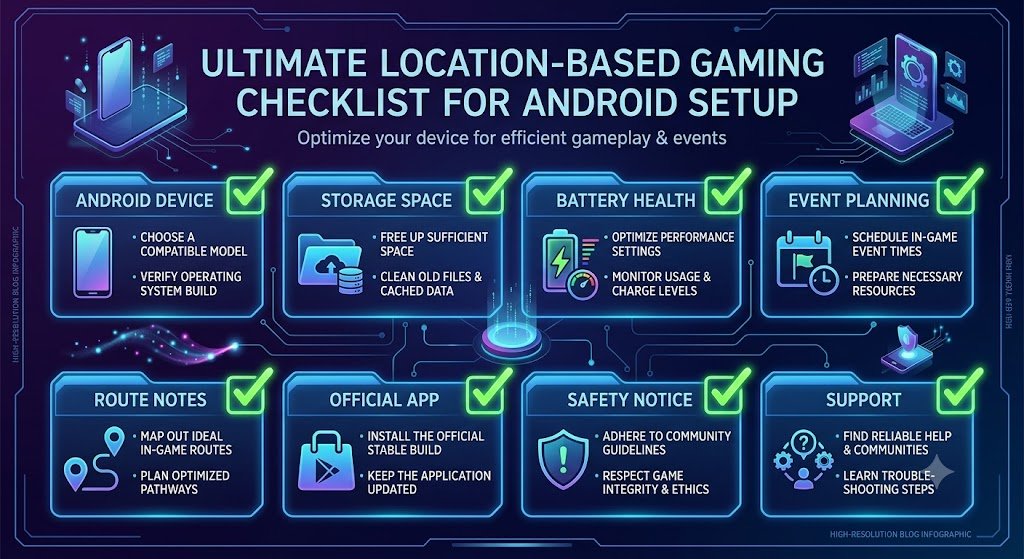
Before buying any Pokemon GO spoofing phone, use a checklist. The wrong device can create the same frustration as a bad app. The right device should make the entire experience cleaner: storage, screen, battery, setup, support, and comfort.
| Checklist Item | Why It Matters | OnePlus Nord Fit |
|---|---|---|
| Enough RAM | Pokémon GO, maps, screenshots, and background tools can feel rough on weak phones. | 8GB+ RAM option |
| Enough storage | You need space for apps, screenshots, event notes, and updates. | 128GB is a strong baseline. |
| Good display | Long sessions are easier with a bright, smooth screen. | 90Hz AMOLED |
| Battery and charging | GO Fest, raid days, and route sessions punish weak batteries. | 4115 mAh with fast charging support. |
| Dedicated use | A separate phone keeps Pokémon GO away from your personal device. | Ideal dedicated device |
A good spoofing phone should not feel like a gamble. It should feel like a dedicated tool. You should know what it is for: Pokémon GO, event planning, coordinates, screenshots, storage checks, and long sessions.
9Why Spoofing Phones Matter for Events, Raids, and Coordinates
The strongest reason to buy a dedicated Pokémon GO spoofing phone is not a random weekday catch. It is events. GO Fest, raid days, Community Days, Spotlight Hours, Shadow Legendary events, regional debuts, and special research windows all reward preparation.
If your phone is messy, you lose value. A weak phone can overheat during raid hour. A full storage box can make you delete Pokémon during a paid event. A cluttered app setup can distract you while a lobby timer is counting down. A dead battery can cost you the best hour of the day.
This is why internal event guides should all link back to this pillar page. The user journey is natural: someone reads about GO Fest coordinates, Shadow Reshiram, Squawkabilly forms, Mewtwo candy, or raid locations. Then they ask, “What device should I use?” This article answers that question and sends them to the OnePlus Nord.
Useful companion guides
- Pokémon GO Fest spoofing guide for event planning and Global GO Fest strategy.
- GO Fest 2026 raid coordinates guide for dense raid locations and lobby planning.
- Best Pokémon GO coordinates 2026 for hotspots, XP, raids, and shiny hunting.
- Top spoofing coordinates 2026 for major city and event hotspots.
- Mewtwo candy GO Fest guide for Mega Mewtwo raid planning.
- Squawkabilly Pokémon GO Flying Taxi guide for regional form collection.
- Shadow Reshiram Pokémon GO guide for Team GO Rocket and Giovanni prep.
🎟️ GO Fest, Raids, Regionals: One Device for Every Event
The OnePlus Nord 5G is the easiest phone to recommend for most event players. Use it for coordinates, route notes, GO Fest prep, raid weekends, storage checks, and long Pokémon GO sessions without sacrificing your daily phone.
10Safety, Bans, and the Reality of Pokémon GO Spoofing
Searches like safest Pokemon GO spoofer are popular because players want reassurance. The honest answer is that no spoofing method is completely safe. Niantic’s Gameplay Fairness Policy says cheating includes falsifying location and accessing game clients or backends in an unauthorized manner, including through third-party software or add-ons. Niantic’s Terms also prohibit techniques that alter or falsify a device’s location.
That means no article, seller, app, phone, or YouTube guide should promise that you cannot be banned. The better promise is practical: a dedicated phone gives you a cleaner setup, better organization, and a better event workflow than random apps on your personal phone. It reduces chaos. It does not remove risk.
| Claim | Reality | What We Recommend |
|---|---|---|
| “This spoofer is 100% safe.” | False claim | Avoid sellers or apps promising ban-proof spoofing. |
| “Free apps are enough.” | Maybe for curiosity, not ideal for long-term event play. | Use a dedicated phone if you take Pokémon GO seriously. |
| “Mock location always works.” | Apps can detect or reject mock location data. | Do not assume basic Android settings equal a full setup. |
| “Rooted phones are officially supported.” | Niantic does not support rooted devices. | Understand the risk before buying or using one. |
| “A dedicated phone is useless.” | A separate phone can greatly improve organization and workflow. | Best option for serious players |
Our position is clear: if you choose to spoof, do it with your eyes open. Read the safety notice. Understand the rules. Do not believe magic safety claims. Use a setup that makes sense for your budget and playstyle. For most people, that means starting with the OnePlus Nord rather than wasting weeks trying random apps.
11Best Pokémon GO Spoofing Setup for Most Buyers
If someone lands on this page from Google after searching how to spoof Pokemon GO, they probably want a direct recommendation. Here it is: for most buyers, the best starting setup is a dedicated Android phone, and the best budget all-rounder is the OnePlus Nord 5G 8GB RAM 128GB rooted phone.
Why? Because it sits in the sweet spot. It is affordable enough for a dedicated device, powerful enough for Pokémon GO, comfortable for event sessions, and easier to justify than expensive flagship devices. If you are new, it is the most sensible first buy. If you already spoof, it is a strong second phone. If you are preparing for GO Fest, it is the kind of device that makes event planning much less messy.
That recommendation also helps SEO because it connects broad informational searches to a specific product. The page targets people searching “how to spoof,” educates them on the options, then gives them a clear buying path instead of leaving them stuck in app-comparison limbo.
🏆 Our #1 Budget Pick: OnePlus Nord 5G Rooted Phone
For most Pokémon GO spoofing buyers, the OnePlus Nord 5G is the right mix of price, RAM, storage, display quality, and dedicated-device value. It is the phone we would push first for beginners, event players, and anyone tired of unreliable apps.
12How to Spoof Pokémon GO FAQ
How do you spoof Pokémon GO in 2026?
Pokémon GO spoofing means changing the location data your device provides to the game. In 2026, players usually research GPS spoofing apps, Android mock location, PC tethering tools, modified clients, rooted Android setups, or dedicated spoofing phones. For serious buyers, a dedicated Android phone is usually the cleanest workflow.
What is the best Pokémon GO spoofing phone?
For most buyers, our best budget all-rounder is the OnePlus Nord 5G 8GB RAM 128GB rooted phone. It has enough performance, storage, and display quality for Pokémon GO while staying affordable enough to use as a dedicated device.
Is Pokémon GO spoofing safe?
No spoofing method is completely safe. Niantic’s rules prohibit falsifying location and unauthorized third-party software. A dedicated phone can improve organization and workflow, but it cannot remove account risk.
What does Pokémon GO mock location mean?
Mock location is an Android development/testing feature that lets a selected app provide fake location data. It is useful for app testing, but Pokémon GO can reject or behave badly with basic mock location setups, which is why many players move toward dedicated Android spoofing phones.
Are Pokémon GO spoofer apps better than spoofing phones?
Spoofer apps are cheaper upfront, but they are often less stable and more confusing long term. A dedicated spoofing phone costs more but gives you a cleaner Pokémon GO device for events, raids, storage, coordinates, screenshots, and route planning.
Is Android better than iPhone for Pokémon GO spoofing?
Android is usually better for a dedicated spoofing-phone workflow because there are more device options and more flexibility. iPhone users often depend on desktop tools, sideloading, or other workarounds, while Android buyers can use a separate game-focused device.
Why is the OnePlus Nord good for Pokémon GO spoofing?
The OnePlus Nord 5G is a strong budget all-rounder because it offers 8GB RAM, 128GB storage, a smooth 90Hz AMOLED display, a capable Snapdragon 765G platform, and enough battery for long sessions. It is powerful enough for Pokémon GO without flagship pricing.
How does a PogoSpoofing phone help beginners?
A PogoSpoofing phone gives beginners a dedicated Pokémon GO device instead of forcing them to test random apps on their personal phone. It is built around a cleaner game workflow: coordinates, events, storage, screenshots, route notes, and long sessions.
Where can I buy a Pokémon GO spoofing phone?
You can buy directly from the PogoSpoofing shop, view our featured OnePlus Nord 5G product page, or shop through our updated PogoSource eBay page.
Final Verdict: The Best Way to Start Pokémon GO Spoofing in 2026
The best answer to how to spoof Pokemon GO is not “download the first app you see.” That is how beginners end up with errors, broken settings, risky clients, and wasted time. The smarter answer is to understand the whole setup first: device, operating system, location source, account risk, event goals, and long-term workflow.
If you are only researching, learn the differences between GPS spoofing, mock location, modified apps, PC tethering, and dedicated Android phones. If you are serious about actually playing events, raids, regionals, and GO Fest, move toward a dedicated device. Your main phone stays clean, and your Pokémon GO phone becomes your game station.
For most buyers, the OnePlus Nord 5G rooted phone is the best budget all-rounder. It is affordable, strong enough, comfortable to use, and easy to recommend as a first dedicated spoofing phone. That is why it should be the main product CTA across this page.
To go deeper after this pillar post, read our custom phone setup guide, compare the best Pokémon GO spoofing phones, and browse the best Pokémon GO coordinates for 2026. Together, those pages form the strongest internal cluster for ranking and selling spoofing phones.
Ready to Stop Searching and Start With the Right Phone?
Buy the OnePlus Nord 5G rooted Pokémon GO spoofing phone, browse every device in our shop, or order through PogoSource on eBay. Build your Pokémon GO setup around a dedicated Android phone instead of risking your daily device with random apps.


