
Samsung vs Pixel for Pokémon GO Spoofing: Best 2026 Phone Guide

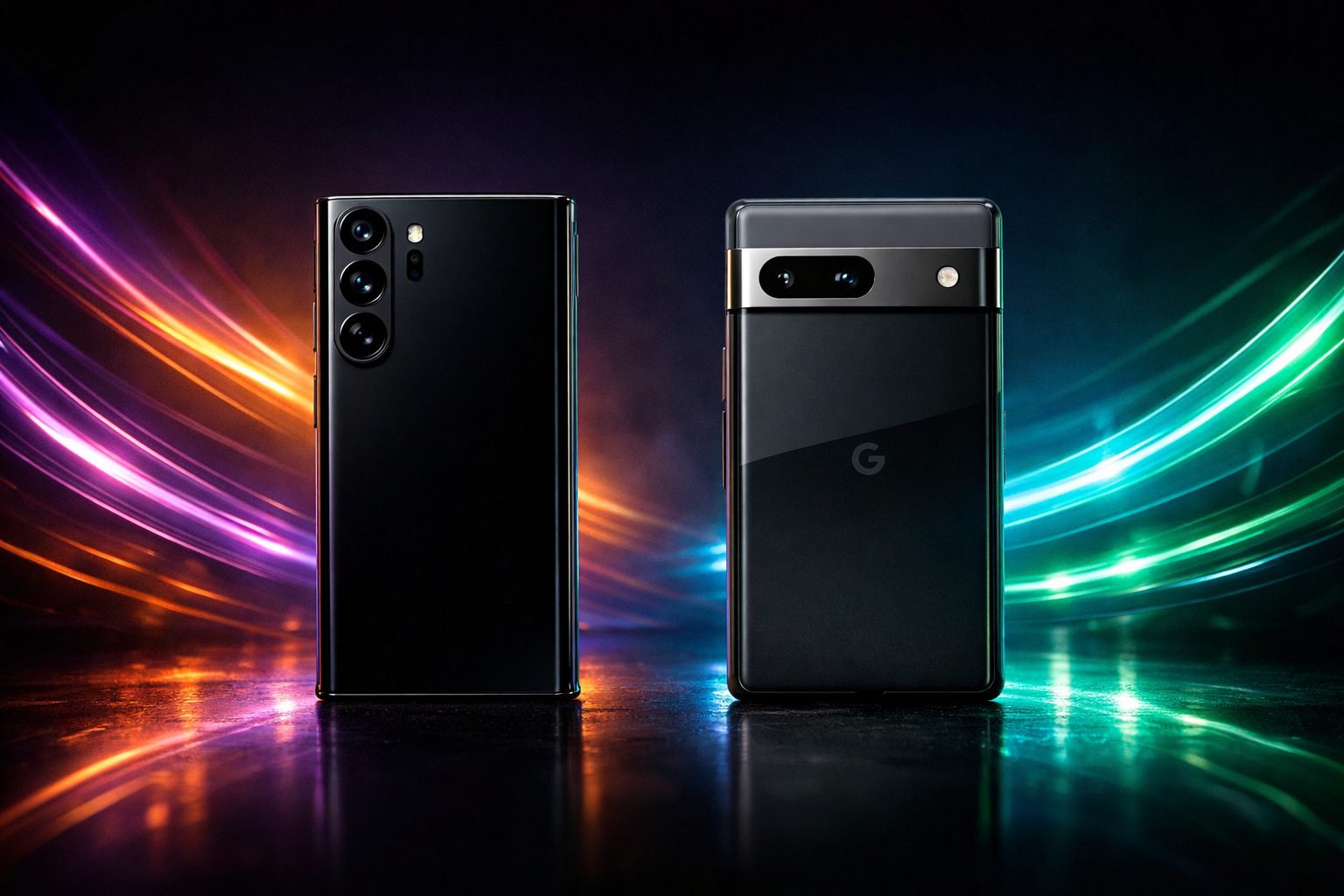
Samsung vs Pixel for Pokémon GO Spoofing: Best 2026 Phone Guide
Samsung vs Pixel Pokémon GO spoofing comes down to one thing: can you actually unlock the bootloader without a fight? Samsung’s Knox security makes rooting painful and permanent-feeling. Pixel keeps it simple with an official unlock toggle. Here’s what that means for your spoofing setup in 2026.
Quick answer
For Pokémon GO spoofing in 2026, Pixel phones are the easier and more reliable choice because Google still lets you unlock the bootloader with a single toggle in developer settings, no waiting periods and no permanent hardware lockout. Samsung phones running One UI 8 or later have largely removed bootloader unlocking, and even on older firmware, unlocking trips the Knox e-fuse permanently, killing Samsung Pay, Secure Folder and Health data forever. Unless you already own a specific older Samsung model known to work, buy a Pixel for spoofing.
Need a ready-to-use rooted phone?
Choose a professionally prepared Android device built for a clean, dedicated setup—without turning your everyday phone into a test bench.
Shop rooted Android phonesAsk for buying adviceWhy the Phone You Root Matters More Than the App
People spend hours picking between PGSharp, FGL Pro or other spoofing apps and then grab whatever Android phone is sitting in a drawer. That’s backwards. The app runs on top of the phone, and if the phone won’t cooperate with root access or fights you on mock locations, no app fixes that.
This is exactly why the rooted Android phone you choose matters as much as the spoofing software itself. Samsung and Pixel are the two brands people ask about most, mainly because they’re the two most common flagship options in the UK, and they behave completely differently once you try to root them.
Samsung vs Pixel Pokemon GO Spoofing: The Bootloader Problem
This is the actual deciding factor in the Samsung vs Pixel Pokemon GO spoofing debate. To root a phone you first unlock its bootloader, and the two brands have gone in opposite directions on this. Unlocking the bootloader is typically a prerequisite of obtaining root access or installing an alternative OS, and Samsung has made that first step nearly impossible on recent hardware.
Most Samsung devices sold with Qualcomm chipsets under current One UI 8+ firmware do not support official bootloader unlocking at all, and Samsung has removed bootloader unlocking globally on One UI 8, even for international models that used to allow it. Pixel, by contrast, still ships with an OEM unlock toggle in Developer Options on every model, exactly the way Android was designed to work.
Knox e-Fuse: What You Permanently Lose on Samsung
Even on the older Samsung models where unlocking is still possible, there’s a catch that doesn’t exist on Pixel. Samsung Knox contains a physical e-fuse that flips the moment you unlock, and once Knox is tripped, certain Samsung-specific features refuse to work permanently, even if you relock the bootloader and reflash stock firmware afterward.
That includes Samsung Pay, Secure Folder, Samsung Health sensitive data like sleep and stress tracking, and Samsung Wallet payment functions. If you’re buying a phone purely as a dedicated spoofing device this matters less, but it explains why Samsung rooting communities describe unrooting as only ever partial, unlike Pixel or OnePlus where a factory reset genuinely returns the phone to stock.
Pixel Bootloader Unlock: How It Actually Works
On a Pixel, enabling OEM unlocking and running fastboot flashing unlock takes a few minutes and wipes the phone, same as any Android unlock. There’s no e-fuse, no permanent feature loss, and no regional restriction. Community rooting guides for the Pixel 10 series confirm the process works cleanly with Magisk or GrapheneOS-based root, including on current firmware.
Google, OnePlus, Motorola and Sony are consistently described as the cooperative brands for this, while Samsung adds Knox permanence and other manufacturers like Xiaomi add multi-day waiting periods. If your spoofing setup depends on being able to root, unroot, downgrade or reflash without drama, that cooperative behaviour is worth more than any camera or screen spec.
Vital Security Step: Hide Your IP
Spoofing your GPS without hiding your IP is a red flag to Niantic’s anti-cheat system – if your GPS says one location and your IP says another, you risk detection. We use Surfshark VPN because its GPS-override feature matches your IP to your spoofed location automatically.
Hide My Location (82% Off)GPS Spoofing Reliability: Mock Location & Sensors
Pokémon GO spoofing needs the phone to convincingly fake GPS coordinates while also feeding believable accelerometer, gyroscope and Wi-Fi scan data, since Niantic’s detection looks at all of it together. Pixel phones use Google’s own GPS chipset implementation and a clean AOSP-based location stack, which most joystick and mock-location tools handle predictably.
Samsung’s location services are layered with extra Samsung-specific processes (SmartThings location, Samsung Health background tracking) that can conflict with spoofing apps or leak real GPS data through side channels if not fully disabled. This is one of the quieter reasons Pixel setups tend to be more consistent for tools like PGSharp, covered in our PGSharp root vs no-root comparison.
Performance for PGSharp and Botting Workloads
Both brands make phones fast enough to run Pokémon GO plus a spoofing overlay without issue, so raw benchmark numbers aren’t really the deciding factor here. What matters more for a dedicated bot phone is thermal behaviour during long overnight farming sessions and how well the chipset handles being always-on and screen-awake for hours.
Pixel’s Tensor chips run a little warmer than Samsung’s Exynos or Snapdragon variants under sustained load, so if you’re building a phone that runs 24/7 for auto-walking or raid farming, check our dedicated bot phone setup guide for cooling and battery-management tips regardless of which brand you land on.
Software Longevity and Update Support
A phone bought for spoofing needs to stay on a rootable firmware version for as long as possible, because a forced security update can break root overnight. Pixel’s update cycle is predictable and Google publishes exactly what’s changing, which lets the rooting community react fast with updated Magisk patches.
Samsung pushes frequent regional firmware variants and has been actively closing root workarounds mid-cycle, including patching exploited root methods within a month or two of them appearing. That unpredictability is a real practical downside if you want a phone that keeps working the same way for a year rather than needing a new root method every quarter.
Ban Risk Differences Between Samsung and Pixel Setups
Neither brand changes your actual ban risk once Pokémon GO is running, since Niantic’s detection looks at account behaviour and movement patterns rather than phone manufacturer. What differs is how cleanly the phone hides the fact that it’s rooted at all. Pixel’s simpler, more transparent root process tends to leave a tidier system state that’s easier to keep hidden from root-detection checks. Samsung’s Knox flag and leftover security services can sometimes create additional traces that root-hiding tools have to work around.
Regardless of which phone you use, spoofing and rooting can violate Pokémon GO’s Terms of Service and carries a real risk of warnings or permanent account bans, including under Niantic’s official Gameplay Fairness Policy, which explicitly names GPS location spoofing and unauthorized third-party software as cheating.
Price and Availability in the UK
Used and refurbished Pixel phones are generally cheaper in the UK secondhand market than equivalent-generation Samsung Galaxy flagships, partly because Samsung’s brand recognition holds resale value higher. A rootable older Pixel (Pixel 6 or 7 series) typically runs somewhere in the £120–£220 used range depending on condition and storage, while a comparable-age Samsung Galaxy S in similar condition often sits £50-100 higher for the same spec tier. If you’re pricing out a dedicated spoofing phone rather than a daily driver, that price gap plus the rooting headache tips things further toward Pixel for most buyers.
Which Model Should You Actually Buy
For most people asking about Samsung vs Pixel Pokemon GO spoofing in 2026, the practical answer is a Pixel from the 6, 7 or 8 series, since these have mature, well-documented root and GrapheneOS support and are cheap secondhand. Avoid Samsung phones already running One UI 8 unless you’ve separately confirmed bootloader unlock still works on that exact model and region, because plenty of current-generation Samsung stock simply can’t be unlocked anymore.
If you already own an older Samsung with a documented working unlock method, it can still function as a spoofing phone, just budget time for the Knox workaround and accept the permanent loss of Samsung Pay and Secure Folder.
Setting Up Your Phone After Purchase
Once you’ve picked a phone, the setup steps are broadly the same across brands: unlock the bootloader, flash a rooted boot image or Magisk patch, install your spoofing app of choice, and lock down location permissions so only the spoofing tool controls GPS. Our Android spoofing setup guide walks through this end to end, and it’s worth reading even if you bought a phone that came pre-rooted, since permission and sensor configuration is where most spoofing setups actually fail rather than the rooting step itself.
Common Mistakes to Avoid
The most common mistake is buying a brand-new Samsung flagship expecting to root it like older models, only to find One UI 8 has removed the option entirely. The second is unlocking an older Samsung without checking Knox implications first, then being surprised when Samsung Pay stops working forever. On Pixel, the main mistake is disabling OEM unlocking after rooting, which can brick recovery options if you ever need to relock or reflash. Always leave that toggle enabled while rooted, on either brand.
Final Verdict
Samsung vs Pixel Pokemon GO spoofing isn’t really a close contest in 2026. Pixel wins on ease of bootloader access, update predictability and price, and Samsung only makes sense if you already own a specific older model with confirmed unlock support. For anyone starting from scratch or comparing this against other brands, our OnePlus vs Pixel spoofing comparison covers the other major contender worth cross-checking before you buy.
Samsung vs Pixel Pokemon GO Spoofing: key takeaways
Pixel phones keep an open bootloader unlock toggle and no permanent hardware lockout, making them far easier and cheaper to root for spoofing than Samsung. Samsung’s One UI 8 has removed bootloader unlocking on most current models, and even older unlockable Samsungs trip the Knox e-fuse permanently, killing Samsung Pay, Secure Folder and Health data. For a 2026 spoofing phone, a used Pixel 6, 7 or 8 is the more reliable and budget-friendly pick.
Buying recommendation
If you’re weighing up Samsung vs Pixel Pokemon GO spoofing for a real purchase, a pre-rooted Pixel from pogospoofing.com saves you the Knox headache entirely and gets you spoofing the same day it arrives. We set these up with a tested root method, sensible battery and permission configuration, and a spoofing app already installed, so you’re not gambling on whether your specific Samsung model still allows bootloader unlock.
Ready to Get Spoofing?
Every phone is pre-rooted, tested, and ready to go straight out of the box – buy direct from us or through our official eBay store.
Frequently asked questions
Is Samsung or Pixel better for Pokemon GO spoofing in 2026?
Pixel is better for almost everyone. It keeps an official bootloader unlock option with no permanent side effects, while most current Samsung phones on One UI 8 have removed bootloader unlocking entirely, and older unlockable Samsungs permanently trip the Knox e-fuse.
Can you still root a Samsung Galaxy phone for spoofing?
Only on specific older models and firmware versions. Current Samsung devices with Qualcomm chipsets under One UI 8+ generally don’t support official bootloader unlocking, and unlocking on models that do allow it permanently disables Samsung Pay, Secure Folder and other Knox-dependent features.
Does rooting a Pixel affect Google Pay or other features permanently?
No. Unlike Samsung’s Knox e-fuse, Pixel phones don’t have a hardware fuse that permanently disables features after unlocking. Relocking the bootloader and reflashing stock firmware returns the phone to essentially factory condition.
Which is cheaper for a dedicated spoofing phone, Samsung or Pixel?
Used Pixel phones are typically cheaper in the UK secondhand market than comparable-generation Samsung Galaxy models, partly because Samsung retains higher resale value. Combined with the easier rooting process, Pixel usually works out better value for a dedicated spoofing setup.
Build the right setup once
Start with compatible hardware, enough memory and a stable Android build. A purpose-prepared phone is easier to maintain and keeps experimentation away from your personal handset.
Browse compatible phonesRead more setup guides


One thought on “Samsung vs Pixel for Pokémon GO Spoofing: Best 2026 Phone Guide”